

Job Routing Capabilities

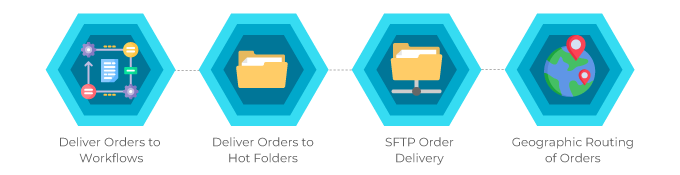
With PageDNA’s job routing capabilities, you can route orders to different workflows or even different plants. Items on your storefront can be processed through specified manufacturing systems. Each item on a storefront can be routed to a different destination, such as a separate Hot Folder for each job type, or to a Management Information System (MIS). PageDNA’s job routing capabilities provide the flexibility you need to process and fulfill orders.
Related Capability: Item Assignment
Job Routing determines where each item in an order is sent—whether that is a workflow, Hot Folder, plant, vendor, SFTP destination, or MIS. Item Assignment complements routing by defining who is responsible for each item as it moves through production. Together, they help teams manage both the destination of the work and the ownership of the work at each stage.
Advantages of Job Routing Capabilities
Example 1 – Deliver Orders to One or More Workflows Within Your Shop
- Orders for item A need to be sent to a litho workflow.
- Orders for item B need to be sent to a digital workflow.
Example 2 – Deliver Orders to One or More Workflows – at multiple plants
- Orders for item A need to be sent to a workflow inside your shop.
- Orders for item B need to be sent to a workflow at an outside trade (wholesale) vendor.
Example 3 – Deliver Orders to Different Hot Folders
- Orders for item A need to be sent to a litho Hot Folder.
- Orders for item B need to be sent to a digital-print Hot Folder.
- Orders for item C need to be sent to a large-format Hot Folder.
Example 4 – SFTP Order Delivery
- Deliver orders for specific items to PageDNA’s SFTP server or to your SFTP server.
Example 5 – Send Orders to Your MIS
- Route orders for specific items to your MIS, including cXML order data.
Example 6 – Multiple Options
- Use a mixture of the above.
Example 7 – Geographic Routing of Orders
- Orders for items need to be routed to the production or fulfillment facility closest to the order requester.
Example 8 – Route Orders Differently AND Send to Your MIS
- Orders for items are routed to different workflows or destinations.
- AND, using Distributor Transport, orders for ALL items are sent to your MIS, including cXML order data.
Example 9 – Route Orders AND Assign Ownership
- Orders for item A are routed to a litho workflow and then assigned to the appropriate prepress, press, and shipping personnel.
- Orders for item B are routed to a digital workflow and assigned to a different production path.
- Orders for item C are routed to a large-format workflow and assigned to the correct finishing or fulfillment station.
- Even when multiple items are placed in a single order, each item can follow its own route and its own chain of responsibility.
Emails (Job Ticket)
- An individual production email can be sent for each item, or one production email can be sent per group of items routed to the same location. This is possible only when using an “email” type of manufacturer.
- The Vendor email, which is sent to Production or Fulfillment, can be customized, including with a barcode of the order number.
- The Vendor email can be used as the Job Ticket.
Confirmation of Order Receipt
You can require confirmation that an order was received by Production or Fulfillment. For example, set an order confirmation to be sent when a third-party is producing or fulfilling an order for you.
File-Naming Conventions
Each site has 24 different file-naming conventions for production files. The selected naming convention is applied to all the delivery/routing methods configured for the site.
Deliver Order Data to MIS Options (example 4 above)
- Option 1:
- Deliver all production files and order data to your MIS.
- Option 2:
- Deliver production files to various locations, depending upon the queue needed, e.g., SFTP delivery.
- Deliver the data for all orders to your MIS via a Distributor Transport.
Why Job Routing + Item Assignment Matter Together
Routing alone tells the system where files should go. Item Assignment adds accountability by showing who is responsible for each item as work progresses from prepress to production to shipping. For teams handling multi-item orders, multiple plants, or mixed internal and external production, this creates clearer handoffs, fewer stalled jobs, and better visibility in Order Manager.
Availability
Job routing options are available to all PageDNA plans. However, certain order delivery options can incur additional setup cost or hosting fees; please contact Sales@PageDNA.com for more information.
Have More Questions?
For additional uses, limitations, and information on setting up job routing capabilities, visit our documentation:
https://pdna.me/Docs-JobRouting
…or contact us via a method of your choice below.