

Order Manager

The Order Manager is a powerful tool that gives you the ability to view and perform actions on your PageDNA orders. The Order Manager can be accessed by a site or through the PageDNA Hub, where you can perform order actions across multiple sites. This tool gives you a heads-up display of everything going on with your live order activity – along with the tools to help keep jobs moving through production and into completed status.

Advantages of the Order Manager
The All Orders selection in the Order Manager displays all orders with summary information, expandable via the caret for additional detail.
Most actions in All Orders require selecting a single order first. Assign Item is the only action that can be initiated directly from the All Orders view. Selecting Assign Item opens the item selector, allowing assignment of multiple items across multiple orders at once.
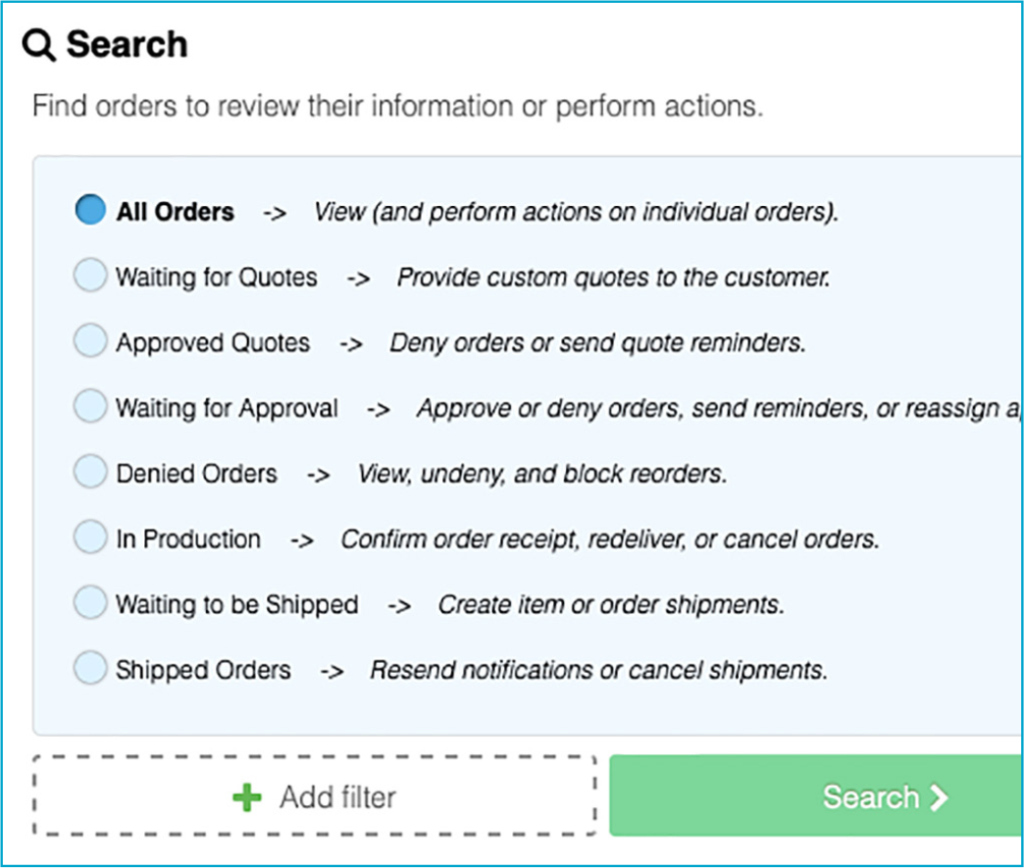
Search subcategories, selected by radio button, provide targeted access to orders and the actions available within each category.
- Waiting for Quotes — Provide custom quotes to the
customer. - Approved Quotes — Cancel provided quotes or send quote
reminders. - Waiting for Approval — Approve or deny orders, send
reminders, or reassign approvers. - Denied Orders — View, un-deny, and block reorders.
- In Production — Confirm order receipt, redeliver, or cancel orders.
- Waiting to be Shipped — Create item or order shipments.
- Shipped Orders — Resend notifications or cancel shipments.
Other actions can be performed on a single order or many orders if filters are applied to your search:
- Assign Item —Allows admins to assign responsibility for one or more items across orders directly within the Order Manager.
- Confirm Receipt — Sends a URL to the manufacturer that, when clicked, lets the site administrators know that files have been received. Allows a site administrator to use Confirm Receipt manually if needed.
- Redeliver Items — Allows resending of selected items to the original manufacturer or to a different email address. Check the Regenerate Files checkbox to create new production files on redelivery.
- Send Elsewhere — This option allows orders to be sent to any manufacturer that is linked to the site.
- Resend Confirmation — Resends Confirmation Email to original requestor or another email address.
- Create Shipment — Used to inform customers that their orders have shipped. Orders shipped this way show in a user’s Profile when shipping tracking is setup on a site.
- Cancel Order — This option cancels all the items in an order, even if the order has been approved.
Availability
The Order Manager is included in all PageDNA plans and is available to all customers and storefronts.
Have More Questions?
For additional uses, limitations, and information on the Order Manager, visit our documentation:
https://pdna.me/Docs-Order-Manager
…or contact us via a method of your choice below.